SMTP + campaigns · one machine per sender

Individual Powerful SMTP.

Campaigns when you want them. Private Dedicated Servers & IPv4s.

Your Private server. Your .com. Your IP. Not shared. SMTP on 587 or 465 in any app — or send campaigns online (Mission) and Launch. One From. One reputation.

Spark is 5,000 a day — 150,000 a month. Beacon is the usual interceptor at $100 / monthly, a .com included for the year. Renewal $90.

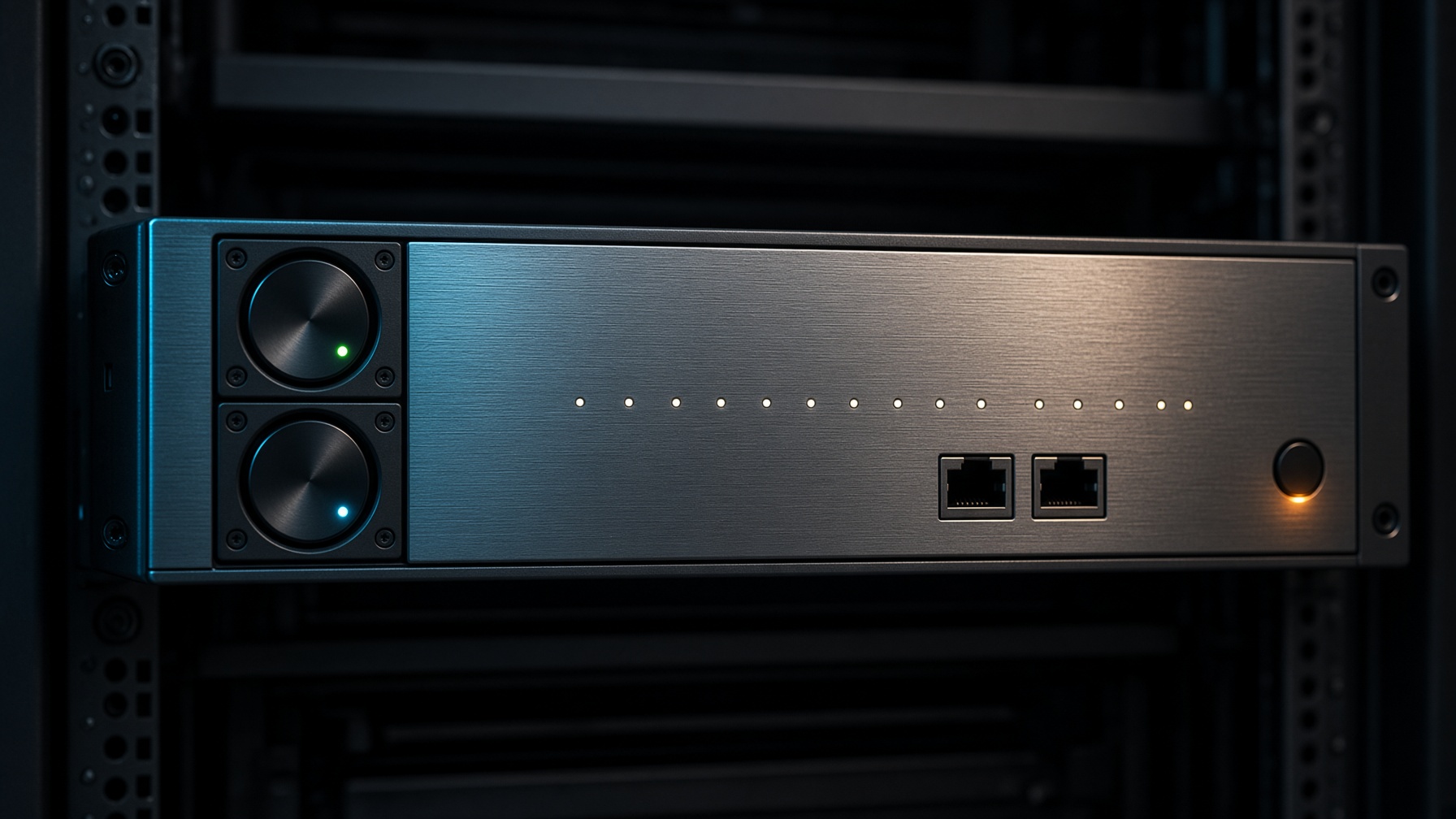
1U dedicated SMTP server — a machine that is only yours.
1U dedicatedlive · dedicated IPv4

Live jet

Individual Powerful SMTP

Campaigns when you want them. Private dedicated servers and IPv4s. Pick a jet, then a .com. SMTP on 587 or 465 — or Hangar Mission.

  1. 250 mail.beacon.com ESMTP Pylon
  2. 250 hello@beacon.com sends
  3. 250 postmaster locked (bounce)
  4. 250 one From · dedicated IPv4s · round-robin

Your domain

A .com you buy here, or one you already own. You only set Cloudflare nameservers. We write the rest.

Your server

A fresh machine and dedicated IPv4s per order. The neighbour’s list cannot burn your reputation.

Your campaigns

SMTP on 587/465 in any app — or send campaigns online in Hangar (Mission) and Launch. One From. Not a panel of inboxes.

Why .com

Gmail does not care that you like .xyz. It cares that the name looks like mail.

Receivers already trust it

A new .shop or .email on a fresh IP is two unknowns. .com is one. Spam filters have seen it for thirty years.

PTR matches a real hostname

mail.yourbrand.com reverse-resolving to the box is the check Microsoft and Google still run. Odd TLDs fail it more often.

You can keep it

We only sell .com, and we will take over an existing one if you point Cloudflare nameservers at us. No novelty TLD, no shared sending domain.

Who this is for

If you need mail to leave a name you own, this is the box.

Pylon is not a shared inbox farm and not a Mailchimp clone. You get iron, a hostname, and credentials. Point Instantly, Smartlead, MailWizz, or your own app at it. Keep the conversation in your tool — we keep the IP clean and the daily cap honest.

Agencies

One jet per client brand. When a campaign ends, you switch the box off — you do not inherit their list on your other IPs.

Product teams

Receipts, password resets, school notices. Transactional mail hates sharing an IP with someone else’s cold outreach.

Operators who are tired of Gmail limits

You already know Instantly. You need a host, a port, and a password that does not vanish on Thursday.

Packages

Daily bullets, not shared pools.

Spark is 150,000 bullets a month (5,000 × 30). Every jet is the same math. Pick one — domain comes next on the order page.

Compare jets

Two arms. One jet.

SMTP Jets or Pylon Mission. Never both at once.

Mailgun is a shared hose. You get iron, then you pick the trigger. Instantly stays on SMTP. Hangar Launch is Mission. Switching parks the other arm so one IP does not get two reputations.

Pylon SMTP Jets

Plug Instantly. Fire.

  • +Host, port 587, one From, password
  • +Works with Instantly, Smartlead, MailWizz, your app
  • +Round-robin IPv4s, same From
  • +Hangar API if you would rather POST /messages
  • +Mission is parked while this arm is live

Pylon Mission

Create a Mission. Launch.

  • +Create a Mission · Launch (now or on a clock)
  • +HTML or TXT letter, reply-to, From locked to the jet
  • +Unlimited named ramps — txt/csv/xlsx. Dupes and no-MX never park
  • +HUD: daily cap, remaining, warmup, live count, debrief map
  • +Delivered, opens, clicks, soft & hard bounces
  • +Complaints auto-ground at 0.3% (warn at 0.1% after 2,000)
  • +SMTP 587/465 closed while Mission is armed

Pylon Mission

Hangar also sends the campaign. Ramps, Launch, live count.

Instantly stays on SMTP. If you want the letter to leave Hangar, arm Mission. Drop a ramp. MX cleaned. Daily remaining on a HUD. Complaints auto-ground the jet — we are not tolerant of a 0.3% day.

What is Mission?
Mission is Hangar’s campaign desk. Named ramps (lists), txt/csv/xlsx drop, HTML or text letter, Launch now or on a clock. Recipients see the jet’s From. Live count while it flies. A debrief when it lands. Instantly is parked while Mission is armed.
What happens when I hit the daily cap?
SMTP: mail past today’s effective cap is rejected at the banner. It does not queue. Mission: extra letters hold short and queue until tomorrow’s clip. They do not torch the IP.
Why is sending slow at first?
New IPv4s ramp. That is strict warmup. Skip is a request — support has to approve it. Blasting the package ceiling on day one is how IPs get listed.
What happens if people hit spam?
We warn at 0.1% once you have flown 2,000. We ground at 0.3%, or 10 complaints in 7 days, or 5 in a day on Spark and Beacon. Only hangar staff unsuspends.
How do ramps (lists) work?
Unlimited named ramps stored in Hangar, not on the jet. Drop txt, csv, or xlsx. Dupes, junk syntax, and domains with no MX never park. Hard bounces and unsubs go to do-not-fly. Lists stay until you delete them.

The pipeline

From payment to a live mail server.

You watch the timeline. Payment, domain, nameservers, PTR, mail stack, credentials. When the last step turns green you get SMTP details, webmail, and a message that it is ready.

  1. 01

    Capture payment

    Subscription authorized. .com licensed for the term.

  2. 02

    Assign nameservers

    ada.ns.cloudflare.com · bob.ns.cloudflare.com

  3. 03

    Set reverse DNS (PTR)

    Each IPv4 matches mail / mail2 / mail3 — required by Gmail and Microsoft.

  4. 04

    Publish SPF, DKIM, DMARC, MX

    Authoritative zone live. SPF lists every exit IP.

  5. 05

    Apply daily cap and warmup

    Per-IP ramp. Mail past today’s cap is rejected — it does not queue.

  6. 06

    Health check

    SMTP banner, STARTTLS, auth, rDNS, mail-tester gate.

Included

The records that make mail actually land.

Shared SMTP is cheap because the IP is crowded. Pylon isolates every customer on a new machine and a new name, then writes the DNS that receivers look for. You copy host, port, user, password into Instantly and send.

  • PTR / rDNS

    The IP reverse-resolves to mail.yourdomain — non-negotiable for Gmail.

  • Hard daily cap

    5,000 to 50,000 messages, enforced on the jet. SMTP past today’s cap is rejected. Mission extra holds short until tomorrow. Per-IP warmup in the dashboard.

  • Works with the tools you have

    Instantly, Smartlead, MailWizz, Sendy, or anything that speaks SMTP on 587.

  • Warmup you can see

    The cap ramps. The schedule lives in your dashboard, not on the billboard. Skip is a request — support has to approve it.

  • Dedicated IPv4s. Extra is overflow.

    Spark 1 · Beacon 2 · Current 5 · Grid 10 — 5,000 a day per IPv4, round-robin, same From. Extra IPv4 is +$30 — failover, not a second client.

mail.acme.com. IN A 49.12.88.41

acme.com. IN MX 10 mail.acme.com.

acme.com. IN TXT "v=spf1 ip4:49.12.88.41 -all"

default._domainkey IN TXT "v=DKIM1; k=rsa; p=MIIB…"

_dmarc IN TXT "v=DMARC1; p=quarantine"

41.88.12.49.in-addr.arpa. PTR mail.acme.com.

250 mail.acme.com ESMTP Pylon

Plain answers

Before you pay

What am I actually buying?
A private dedicated server and dedicated IPv4s that only you send on — not a shared pool. Your .com, one sending address you name, SMTP on 587 or 465 for any app, or Hangar campaigns (Mission) and Launch. One From. One reputation.
SMTP or campaigns — which is it?
Both, never at once on the same jet. Arm SMTP: paste host, port 587 or 465, your From, password into Instantly, Smartlead, MailWizz, or your own app. Arm Mission: load a ramp, write the letter in Hangar, Launch. Switching parks the other arm so one IP keeps one reputation.
What is Mission?
Mission is Hangar’s campaign desk. Named ramps (lists), txt/csv/xlsx drop, HTML or text letter, Launch now or on a clock. Recipients see the jet’s From. Live count while it flies. A debrief when it lands. Instantly is parked while Mission is armed.
Is the .com really included?
Yes, in month one, licensed for one year. Pylon is the registrant so we can publish MX, SPF, DKIM, DMARC, and PTR without waiting on you. After that you renew the server monthly. We do not hold the name hostage — we transfer it when you leave in good standing.
Will mail land in inbox?
A clean dedicated IP, matching PTR, and SPF/DKIM/DMARC are the floor. Lists, content, and warmup do the rest. We cap you so one bad day cannot torch the box. We cannot promise Gmail’s mood.
Why only one sending email?
Extra inboxes get handed to a partner or a second client. That person can burn your IP. One From, one IP, one reputation. Need another brand? That is another jet. postmaster@ is bounce only — do not send campaigns from it.
How many IPs do I get?
5,000 a day per IPv4. Spark 1, Beacon 2, Current 5, Grid 10. One SMTP login. Extra IPv4s round-robin the same From. Extra IPv4 is +$30 — overflow on the same From, not a second client.
What happens when I hit the daily cap?
SMTP: mail past today’s effective cap is rejected at the banner. It does not queue. Mission: extra letters hold short and queue until tomorrow’s clip. They do not torch the IP.
Why is sending slow at first?
New IPv4s ramp. That is strict warmup. Skip is a request — support has to approve it. Blasting the package ceiling on day one is how IPs get listed.
What happens if people hit spam?
We warn at 0.1% once you have flown 2,000. We ground at 0.3%, or 10 complaints in 7 days, or 5 in a day on Spark and Beacon. Only hangar staff unsuspends.
How do ramps (lists) work?
Unlimited named ramps stored in Hangar, not on the jet. Drop txt, csv, or xlsx. Dupes, junk syntax, and domains with no MX never park. Hard bounces and unsubs go to do-not-fly. Lists stay until you delete them.
What if I only want this for a month?
That is the default. Stop renewing the VM. The .com is already paid for the year — you can point it elsewhere or leave it parked.
How do I pay?
The catalog is USD. Cards, transfer, USSD via Paystack. Extra IPv4 is +$30. IP replace is $20 after you have sent; free in the first 48 hours if the IP is dirty and unused.
How do I reach you?
customercare@pylonsmtp.com for the jet. billing@pylonsmtp.com for Paystack, invoices, refunds. abuse@pylonsmtp.com if a Pylon IP hit you — we pause first. All three land in the same hangar. Signed in? Open a ticket and pick the desk.

Provision the first jet.

Search a name, pick Beacon unless you already know you need more, pay, watch the stack come up. Credentials land in the dashboard and in your mail.

Start an order